Your Social Media Icons and Share Buttons
Your shop is one home among several: Instagram, TikTok, Etsy, Pinterest, a YouTube channel. Social icons in your header and footer send visitors to all of them, and share buttons on each product page let a shopper pass a piece along to a friend in one tap. Both are included on every plan and set up on one page.
Adding your social links
- Go to Dashboard → Settings → Integrations and click Social Media.
- Paste the full web address of each profile into its box, for example https://www.instagram.com/yourshop. There are boxes for Pinterest, X (Formerly Twitter), YouTube, linktr.ee, Etsy, Instagram, TikTok, Facebook, Patreon, LinkedIn, DeviantART, ArtStation, Webtoon, Mastodon, Buy Me a Coffee, Reddit and Bluesky. Leave the others empty and they do not show.
- Under Colors, pick the Social network icon color, or tick Use full color icons to show each network in its own brand colors.
- Under Link Locations, tick Show my social icons in the header, Show my social icons in the footer, or both.
- Click Save Configuration.
Adding your TikTok
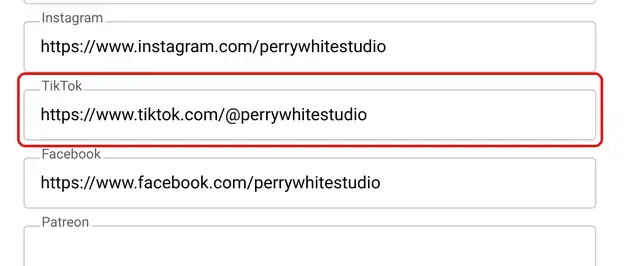
The TikTok box sits right after Instagram. Paste your profile address, for example https://www.tiktok.com/@yourshop, and click Save Configuration.
The TikTok icon then joins your other social icons in the header and footer, in your icon color. With Use full color icons ticked it shows the TikTok logo as a round black badge, like the other logos. Screen readers announce it as TikTok.
If you connect an AI assistant to your shop, it can set your TikTok link too; see Running Your Shop with an AI Assistant.
Share buttons on product pages
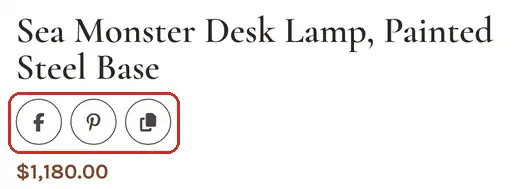
Share buttons sit under the product title as a row of round icons. Each one opens that network's own sharing page with the product's link already filled in, and Pinterest also gets the product's main photo. The last button, Copy link, copies the product's address so a shopper can paste it into a text or an email. IndieMade draws these buttons itself, so they keep working even when a shopper's browser blocks outside sharing services.
To choose the buttons, on the same Social Media page:
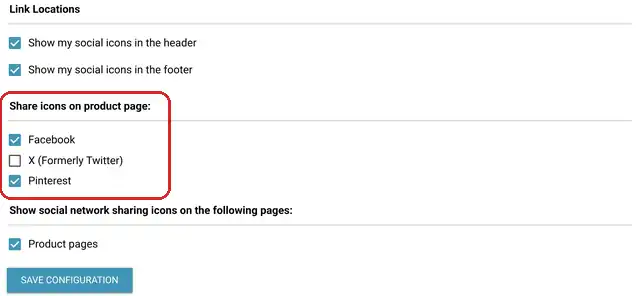
- Under Share icons on product page:, tick Facebook, X (Formerly Twitter), Pinterest, or any mix.
- Under Show social network sharing icons on the following pages:, tick Product pages. Untick it to hide the whole row.
- Click Save Configuration.
You can also turn the share row on or off from any product page while signed in: click the Settings gear in the bottom toolbar and use Show social sharing icons on product pages under Extras.
Tips
- Pinterest is the share button that pays off most for makers. A pin keeps sending visitors for years.
- Only list profiles you keep up. An Instagram link that leads to a post from 2021 does more harm than good.
- If you sell on Etsy too, add your Etsy shop link so loyal buyers can find you in both places.
Related: Tracking Pinterest Sales with the Pinterest Tag · Pinterest Catalogs · Header Design
Questions? Email support@indiemade.com.