The Reviews Section
Product reviews from your shop, live. New ones show up on their own.
Best for: Showing buyers that other buyers are happy.

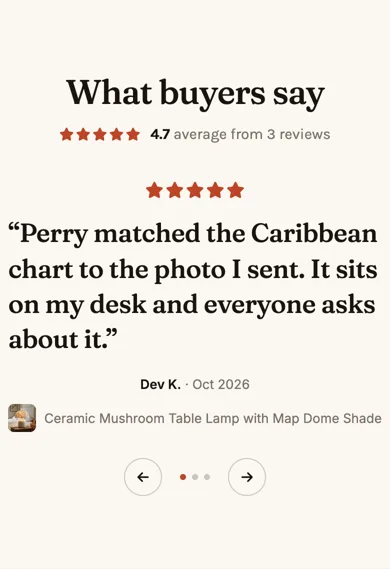
See it in action: the Reviews section on our demo shop's homepage. Our demo shop, perrywhite.indiemade.com, is built entirely with the Section Builder, so you can try it on a computer and a phone.
On a phone
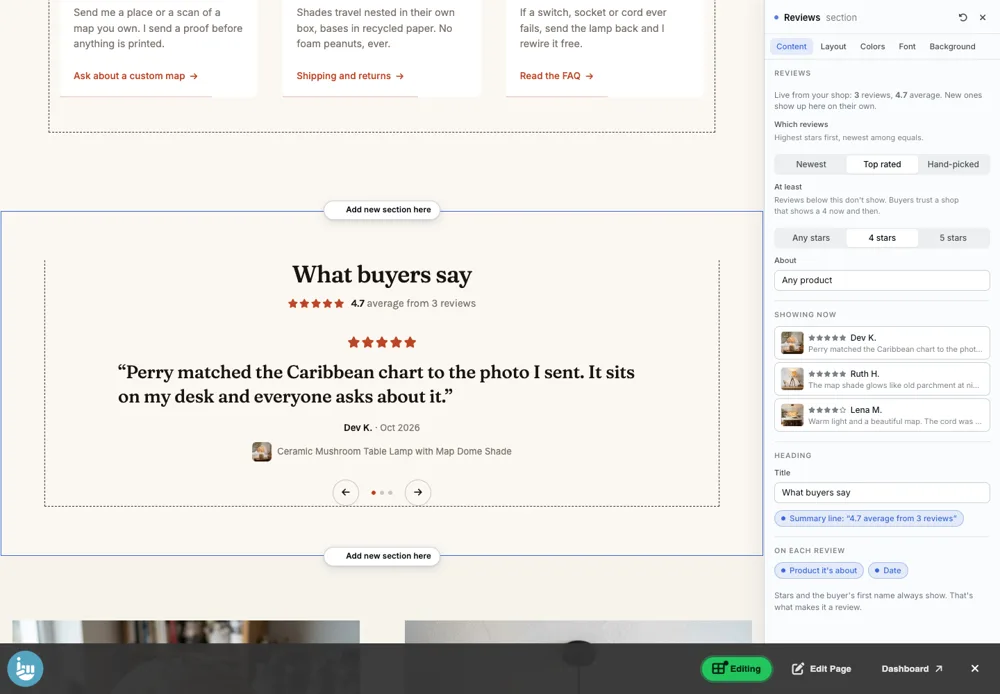
Adding it
Turn on the Editor, click Add new section here, and choose Reviews under Section Builder. It starts with sample words and pictures; replace them with your own. Click Modify on the section's toolbar to open its drawer. The steps, with pictures, are in Building Pages with the Section Builder.
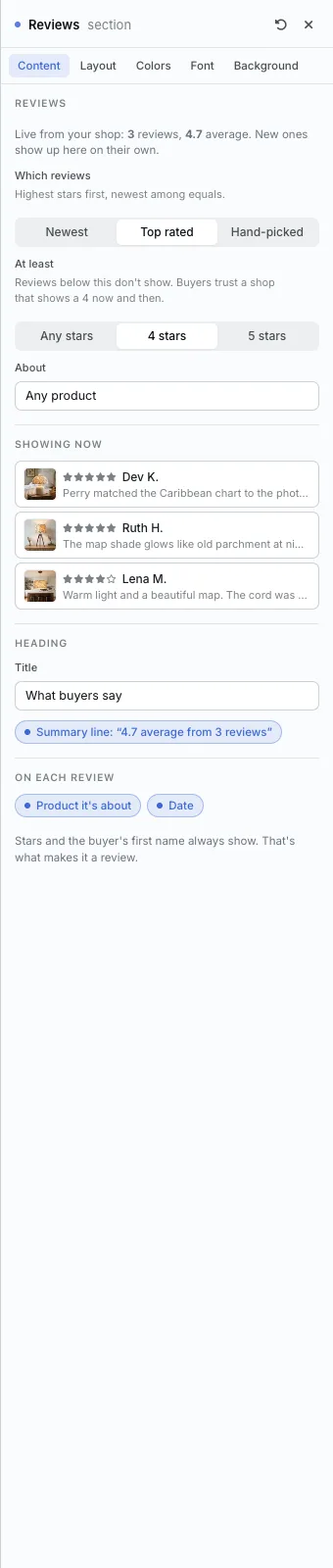
The Content tab
- Which reviews: Newest, Top rated or Hand-picked.
- At least: Any stars, 4 stars or 5 stars.
- About: reviews of any product, or of one product.
- Showing now: the reviews on the page right now.
- Heading and On each review: the title, the summary line (such as "4.7 average from 3 reviews") and what each review shows.
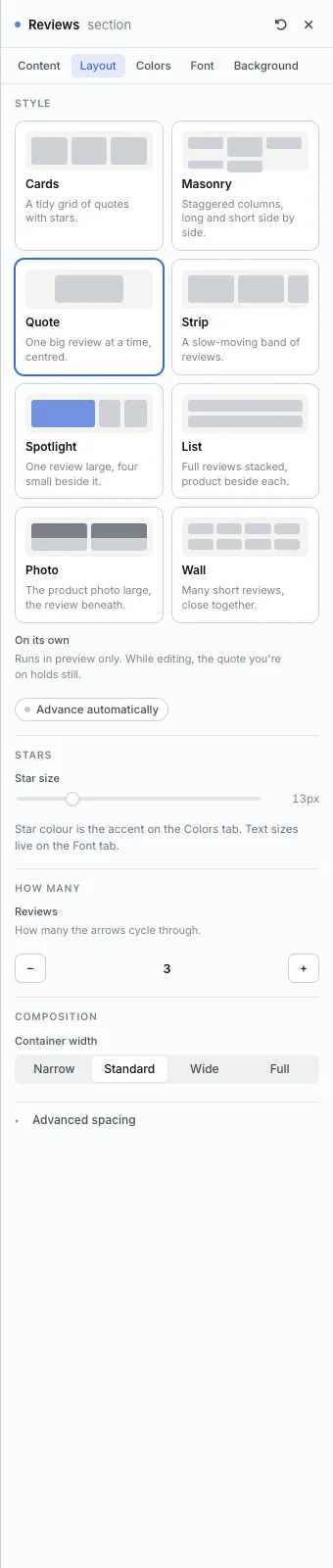
The Layout tab
- Style: Cards, Masonry, Quote (one big review at a time), Strip (a slow-moving band), Spotlight, List, Photo or Wall.
- Advance automatically: for the styles that move.
- Star size. The star color is the Accent on the Colors tab.
- Reviews: how many.
The settings every section shares are explained in Section Colors, Fonts and Backgrounds. Most sections also have Container width, Density and Advanced spacing.
Reviews also has the Colors, Font and Background tabs.
Tips
- A shop that shows a 4-star review now and then looks more trustworthy than one with only 5s.
All Section Builder sections · Questions? Email support@indiemade.com.