The Split Section
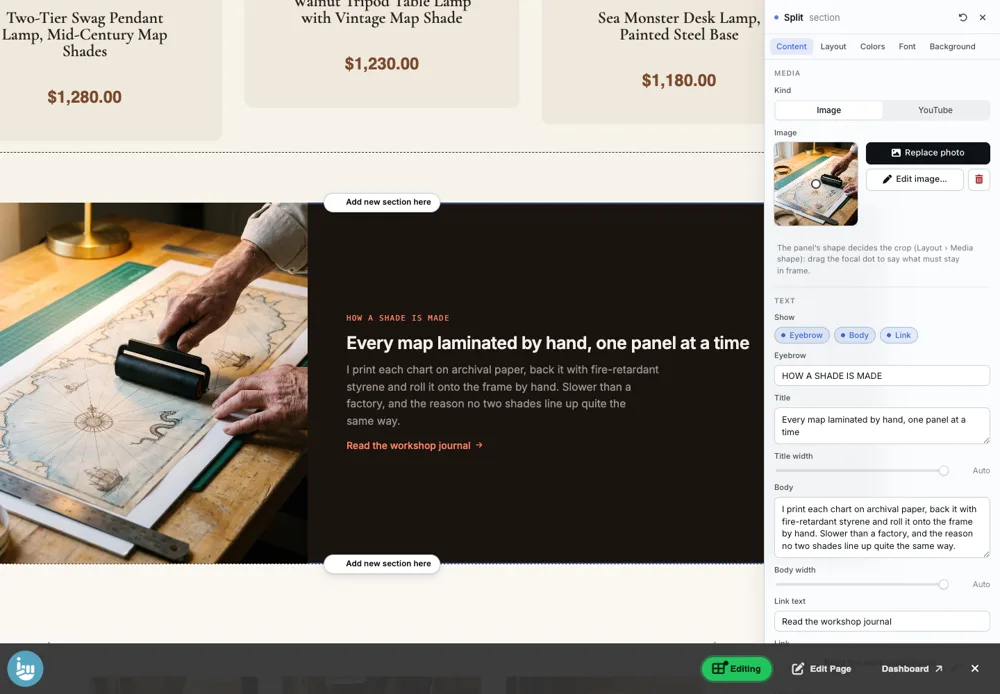
A photo or a YouTube video on one side and a title, text and one link on the other, running edge to edge across the page.
Best for: Telling one part of your story. Use several in a row, alternating sides, for a page that reads like a magazine.

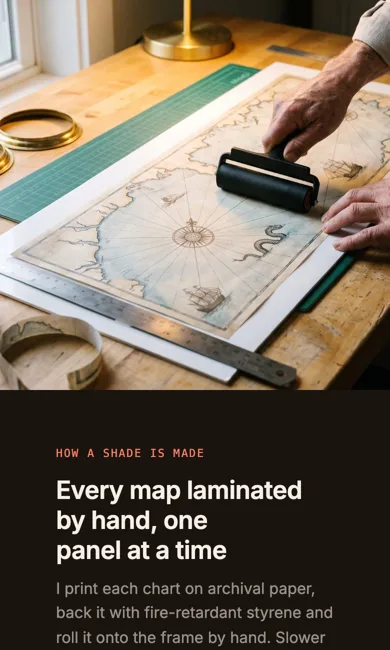
On a phone
Adding it
Turn on the Editor, click Add new section here, and choose Split under Section Builder. It starts with sample words and pictures; replace them with your own. Click Modify on the section's toolbar to open its drawer. The steps, with pictures, are in Building Pages with the Section Builder.
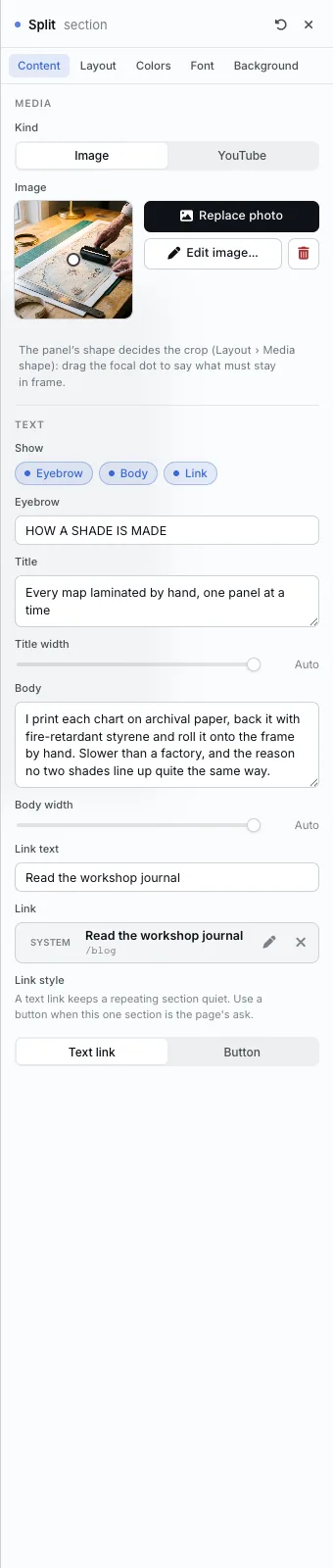
The Content tab
- Media: choose Image or YouTube, then pick the photo or paste the link. Drag the focal dot to keep the important part in frame.
- Show: turn the Eyebrow, Body and Link on or off.
- Eyebrow, Title and Body, with their widths.
- Link text and Link, and Link style: a Text link keeps a repeating section quiet; a Button suits a section that is the page's main ask.
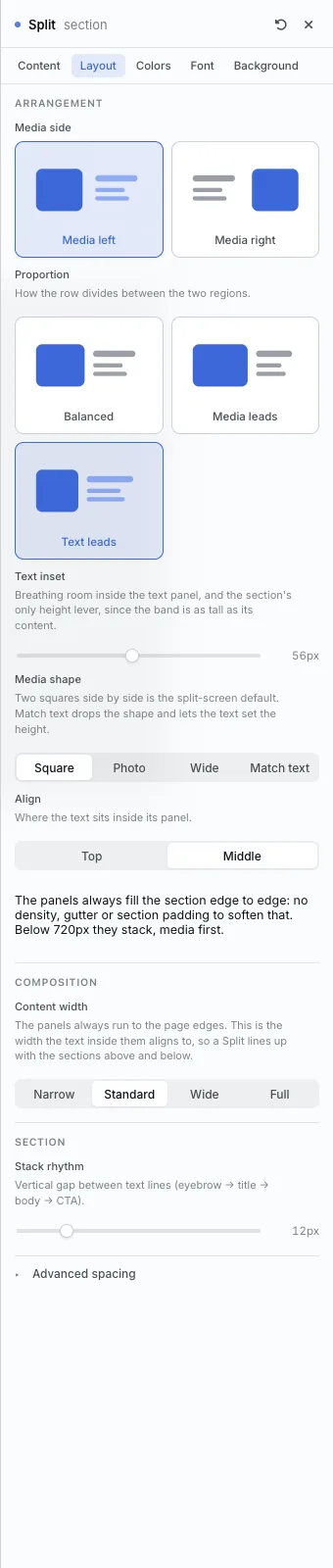
The Layout tab
- Media side: Media left or Media right.
- Proportion: Balanced, Media leads or Text leads.
- Text inset: room around the words, and the way to make the band taller.
- Media shape: Square, Photo, Wide, or Match text (the words set the height).
- Align: the words at the Top or Middle of their panel.
- On a phone the two panels stack, media first.
The settings every section shares are explained in Section Colors, Fonts and Backgrounds. Most sections also have Container width, Density and Advanced spacing.
Split also has the Colors, Font and Background tabs.
Tips
- Alternate Media left and Media right down a page so it zigzags.
All Section Builder sections · Questions? Email support@indiemade.com.